
Game changer for noisy restaurants
"I'm 67 and restaurants have been a nightmare for years. With Clarive and my AirPods I can actually follow the conversation now. The Conversation preset is incredible. Wish I'd found this sooner."
Hear more. Live fully.
Amplify voices, cut background noise, and read live captions in real time, all on-device. No internet, no account. Works with any headphones.
Free to download · iOS 26+
Works with any headphones
Three simple steps
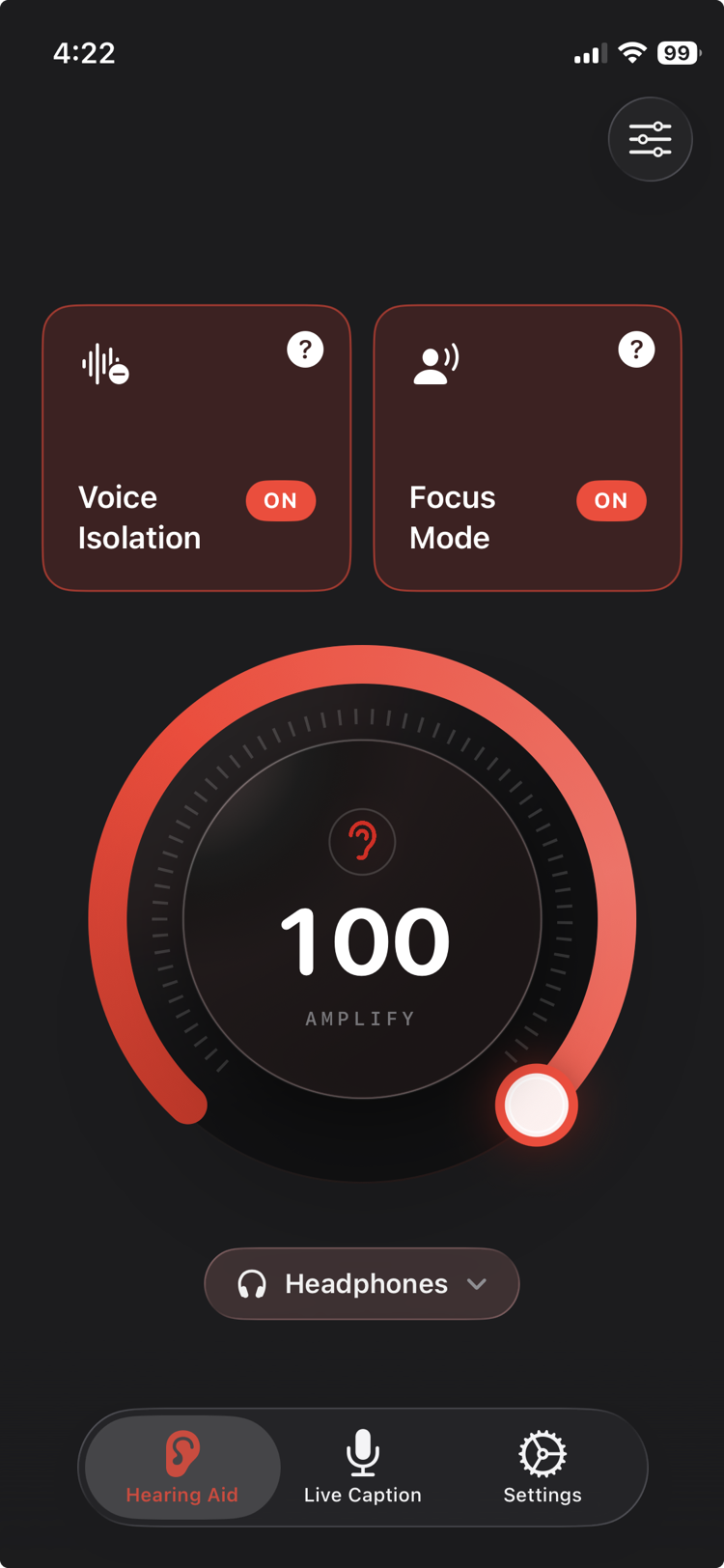
Plug in any wired or Bluetooth headphones: AirPods, EarPods, anything. Clarive detects them automatically.
Your iPhone mic captures the sound around you and plays it back through your headphones in real time.
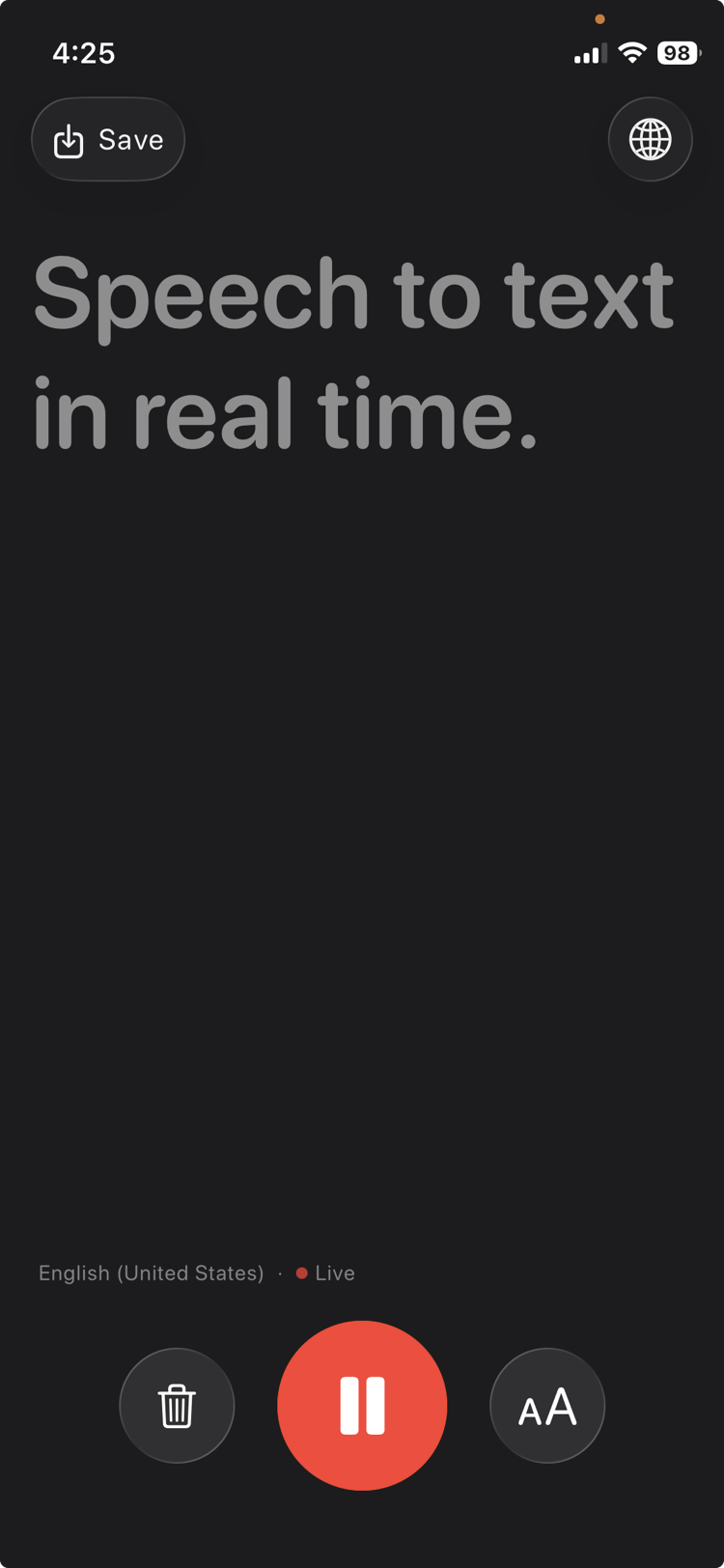
Every word transcribed on screen as it's spoken, so you never miss what's being said.
Features
Your iPhone already has everything a listening device needs. Clarive unlocks it.
A real-time hearing amplifier with zero noticeable lag. Boost volume far beyond your phone's normal limit, on any wired or Bluetooth headphones you already own.
On-device speech-to-text shows every word in real time. 40+ languages with automatic detection and adjustable font size.
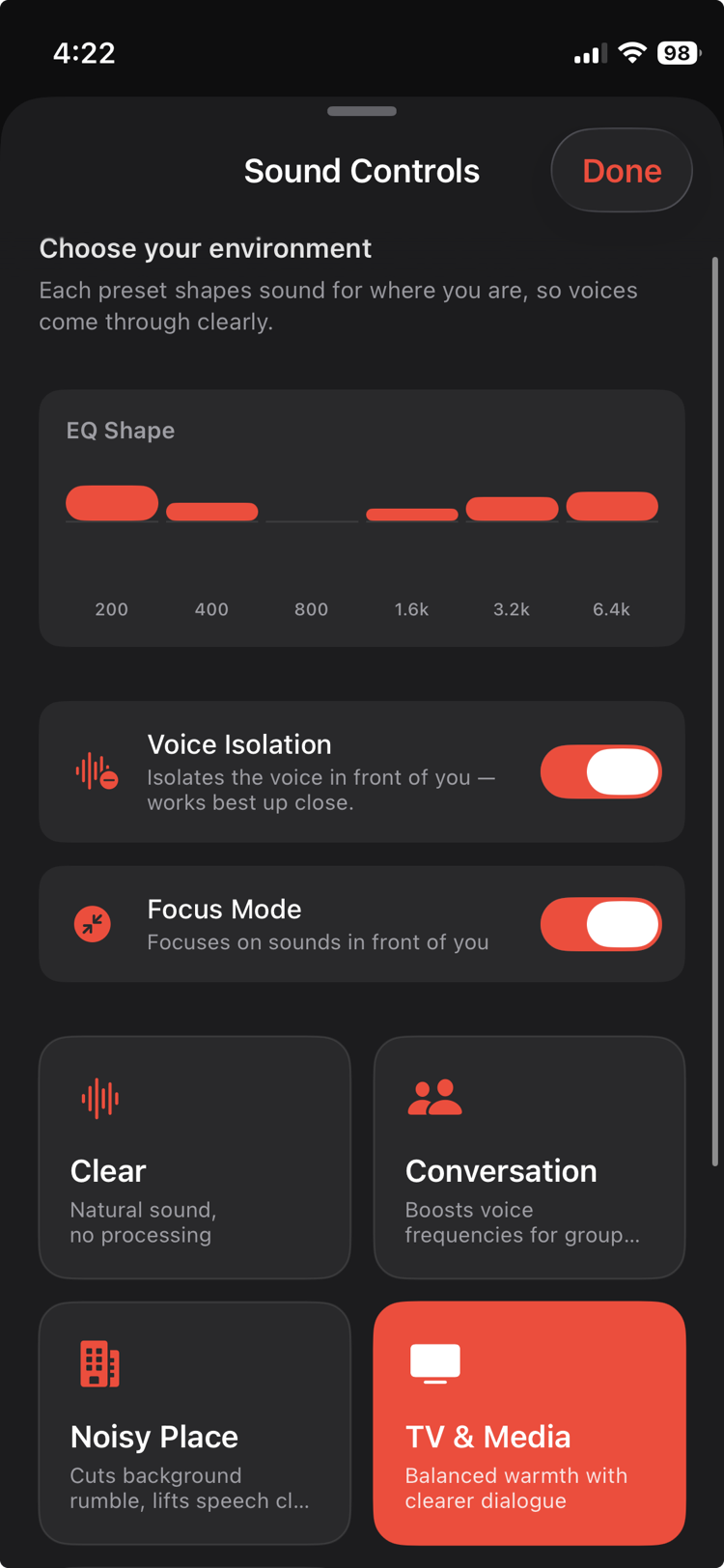
Presets tuned for Conversation, Noisy Place, TV and more, with Voice Isolation and Focus Mode.
Everything runs locally. Your audio never touches a server. No account required.
Live captions work in English, Spanish, Hindi, French and dozens more, with automatic language detection.
AirPods, EarPods, Bluetooth earphones, wired headphones. If it connects to your iPhone, it works.
Live captions
In a meeting, a restaurant, or watching TV, Clarive turns speech into text the moment it's spoken. On-device, no Wi-Fi needed.
Sound intelligence
Clarive tunes sound for your environment, not just how loud it is. Pick a preset, toggle Voice Isolation and Focus Mode, and let the app do the rest.
Privacy first
Everything in Clarive runs entirely on-device using Apple's built-in speech recognition. No servers. No accounts. No uploads. Your conversations are yours alone.
Loved by listeners
"I'm 67 and restaurants have been a nightmare for years. With Clarive and my AirPods I can actually follow the conversation now. The Conversation preset is incredible. Wish I'd found this sooner."
"Got my mum to try this and she hasn't put it down. The live captions are shockingly accurate. She uses it during phone calls too, which I didn't even expect. The privacy side gives us both peace of mind."
"I tried two other apps before this and both had that annoying delay that makes it unusable. Clarive has essentially zero lag. Plugged in my AirPods Pro and it worked perfectly. The amplification is way louder than I expected."
Free to download. No account. No setup. Just plug in your headphones.
Free to download · iOS 26+ · Any headphones
From the blog
Written and tested by the person who builds Clarive.
iPhone hearing tools
Apple's Conversation Boost points your AirPods Pro at the person in front of you. What a lab measured it at, the iOS path, and where it stops helping.
iPhone hearing tools
Apple's Hearing Test runs on AirPods Pro 2 and 3 in five minutes. What a 2026 study found on accuracy, how to read your dBHL result, and what to do next.
Comparisons
Hearing aid app means two unrelated things on iPhone. Here's which one you're looking for, what each needs, and the honest order to try them in.
FAQ
A listening device is any tool that helps amplify or capture sound to make it easier to hear. Traditional listening devices include hearing aids and assistive listening systems. Clarive turns your iPhone into a digital listening device, using the built-in microphone and your headphones to amplify the world around you in real time, with no extra hardware needed.
Clarive is purpose-built for iPhone and requires no extra hardware. Just plug in any headphones. It combines real-time amplification, live captions in 40+ languages, and smart environment presets in one app, making it one of the most complete assistive listening solutions available on iOS. It works on any iPhone running iOS 26 or later.
Clarive uses your iPhone's microphone to capture ambient sound, then processes it through the app and plays it back through your headphones with amplification applied, in real time. Bluetooth headphones, AirPods, and wired EarPods all work. There is no external hardware to buy, and it works the moment you open the app.
An assistive listening device (ALD) is technology designed to help people with hearing difficulty hear more clearly. ALDs include hearing loops, FM systems, and phone-based apps like Clarive. Unlike traditional ALDs that require specialized hardware, Clarive works on any iPhone running iOS 26 or later. Just connect your headphones and open the app.
Yes. Audio amplification works completely offline. Live captions use Apple's on-device speech recognition, which also works offline after the first language model download. No Wi-Fi or mobile data required once set up.
Any headphones that connect to your iPhone work: AirPods, wired EarPods, Bluetooth earphones, over-ear or in-ear headphones. Unlike Apple's Live Listen, you do not need AirPods or an MFi hearing device. Clarive works with whatever headphones you already own. No special hardware to buy.
Clarive is free to download and includes a limited free tier. Unlimited use is a paid upgrade, available as weekly, monthly, yearly, or one-time lifetime plans, with free trials on some of them. Check the App Store listing for current pricing.